Some little-known ability to work with text

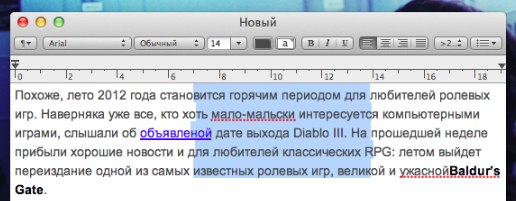
 Non-adjacent elements in TextEdit.

Working in TextEdit, you can hold the button «Alt» and see a typical tool of choice text, replaced the cross hairs. Its use will enable you to select non-contiguous portions of the text seems to select the desired column was easier.
 

mac-os-lion-secrets-9

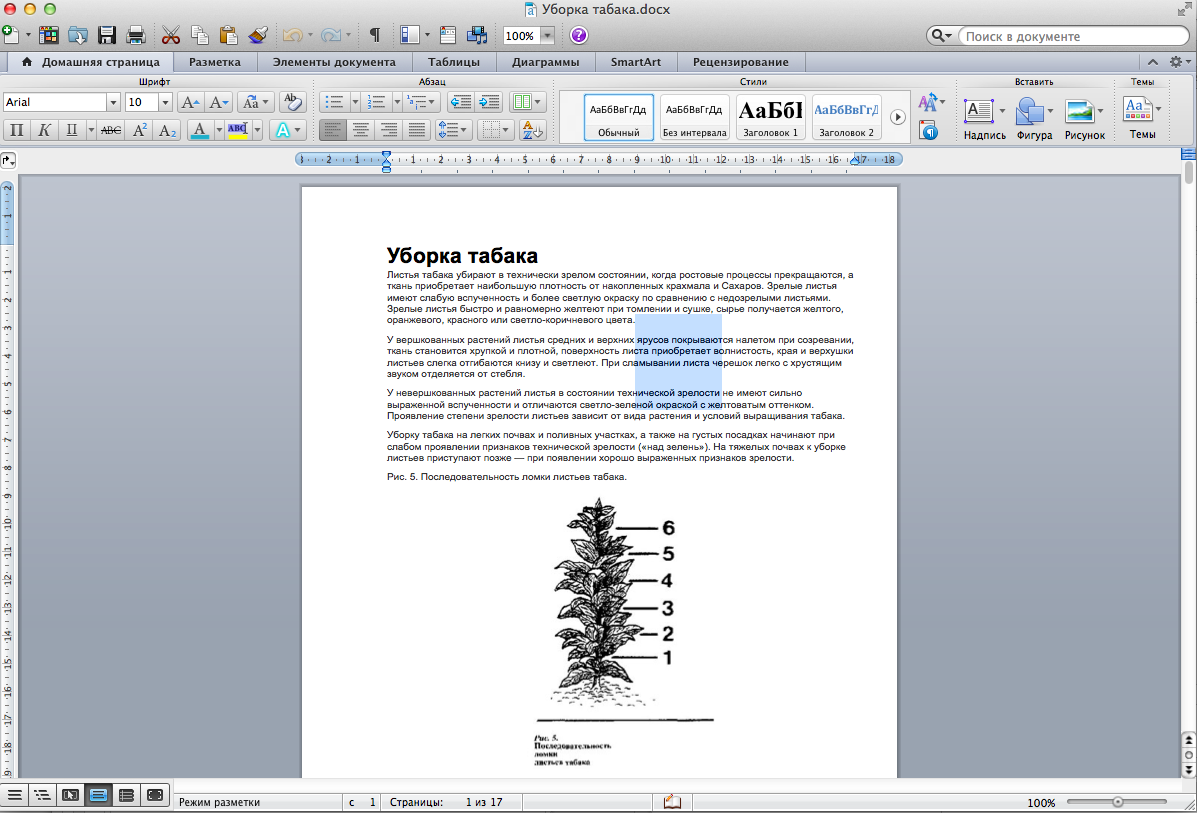
Noncontiguous items in MS Word.

In MS Word the same capabilities gives us the key combination "Command+Alt"
ComandAlt World

Select multiple pieces of text in TextEdit.

Gathered you allocate the necessary parts of the text, try holding down "Command". This allows you to select and copy multiple blocks. Unfortunately, this option does not allow you to then move all the selected text typed one line that can be done in Sublime Text 2.

About us

bottom logo en

I'm a designer. Here you can see my work. Yes, I do my job.

The main rule - you will never see the unfinished work. Only thoroughly polished projects can produce in life.

Packing calculator

Select your language

Select your language

Cookies user preferences
We use cookies to ensure you to get the best experience on our website. If you decline the use of cookies, this website may not function as expected.
Accept all
Decline all
Read more
Analytics
Tools used to analyze the data to measure the effectiveness of a website and to understand how it works.
Google Analytics
Accept
Decline
Advertisement
If you accept, the ads on the page will be adapted to your preferences.
Google Ad
Accept
Decline
Save