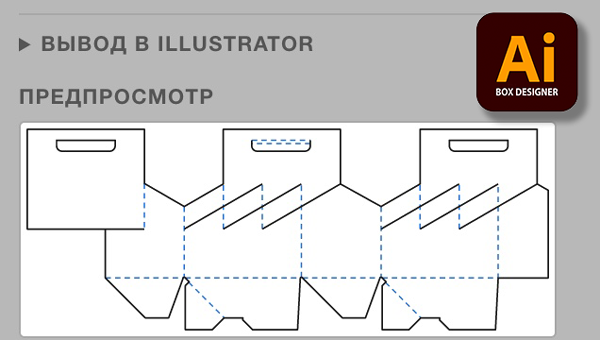
Ai BOX DESIGNER is a panel for Adobe Illustrator on macOS that builds accurate FEFCO corrugated box dielines from just three dimensions and matches Prinect Package Designer to a hundredth of a millimetre.
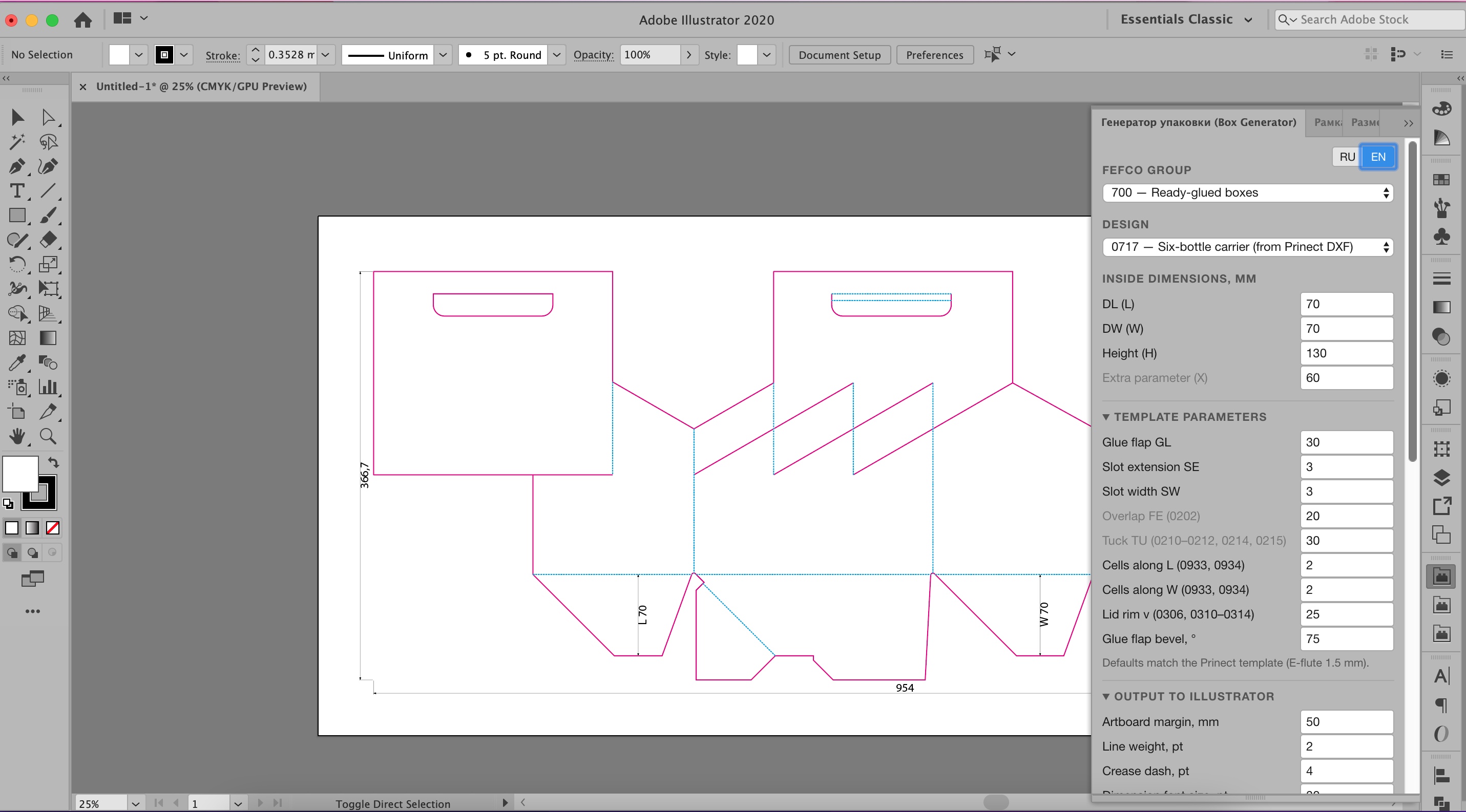
A 0717 dieline built by the plugin: cut, crease and dimensions on separate layers.
Why you need it
Professional packaging CAD systems such as Prinect Package Designer run mostly on Windows and are expensive. A designer on a Mac is left drawing the dieline by hand from the FEFCO catalogue, or waiting for a drawing from the technologist.
A one-millimetre error on a dieline means an inaccurate cutting die, extra revisions and the risk of a spoiled print run. Ai BOX DESIGNER moves dieline construction to where the designer already lays out the artwork: Illustrator.
What the plugin does
The plugin adds a "Box Generator" panel to Illustrator. You choose a FEFCO code, enter the inside dimensions L × W × H and get a finished drawing.
- Accurate geometry. Outlines are taken from Prinect Package Designer 17 for E-flute microflute, 1.5 mm thick. The blank size and the cut and crease lengths match Prinect.
- Production-ready drawing. Cut and crease lines sit on separate layers and in the CUT and CREASE spot colours.
- Dimensions label themselves. Overall and inside dimensions are added for every part of a multi-part set.
How it works
- Pick a FEFCO group and a design from the list — over 130 codes.
- Enter the inside dimensions L, W, H and, if needed, the template parameters. The preview and the "dieline vs Prinect" table show the result before you build.
- Click "Build in Illustrator". The dieline appears on the artboard with dimensions and ready-made layers.
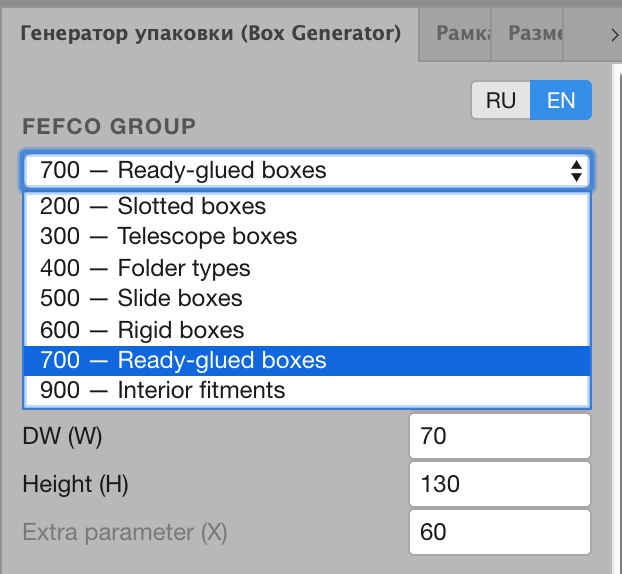
Step 1. Choosing a FEFCO group.
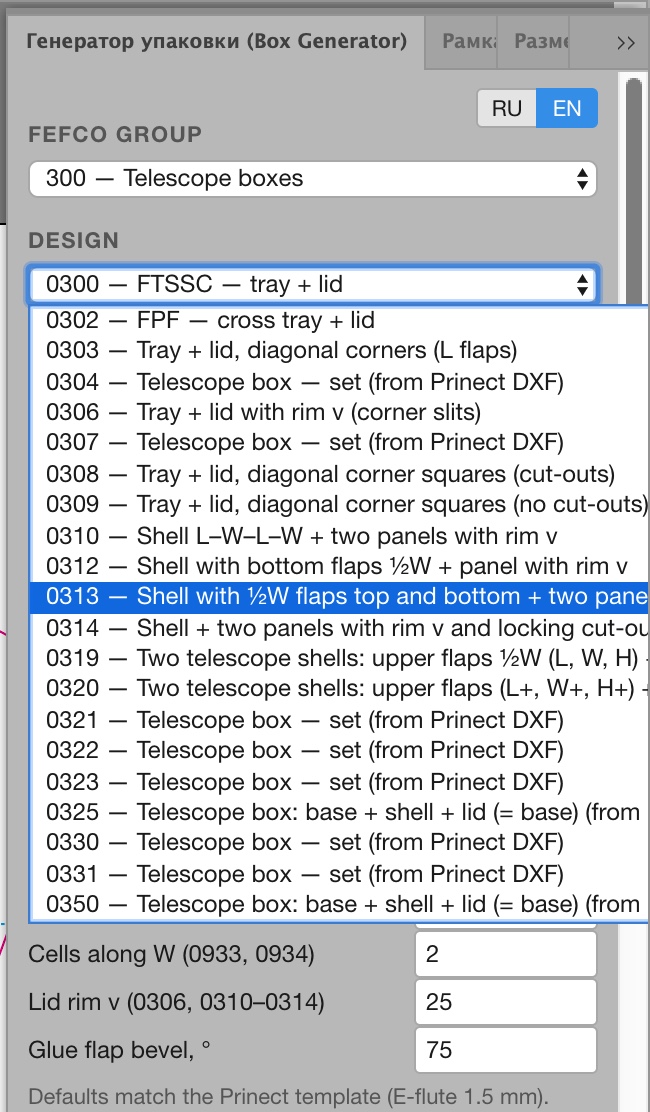
The designs of the selected group (example: group 300).
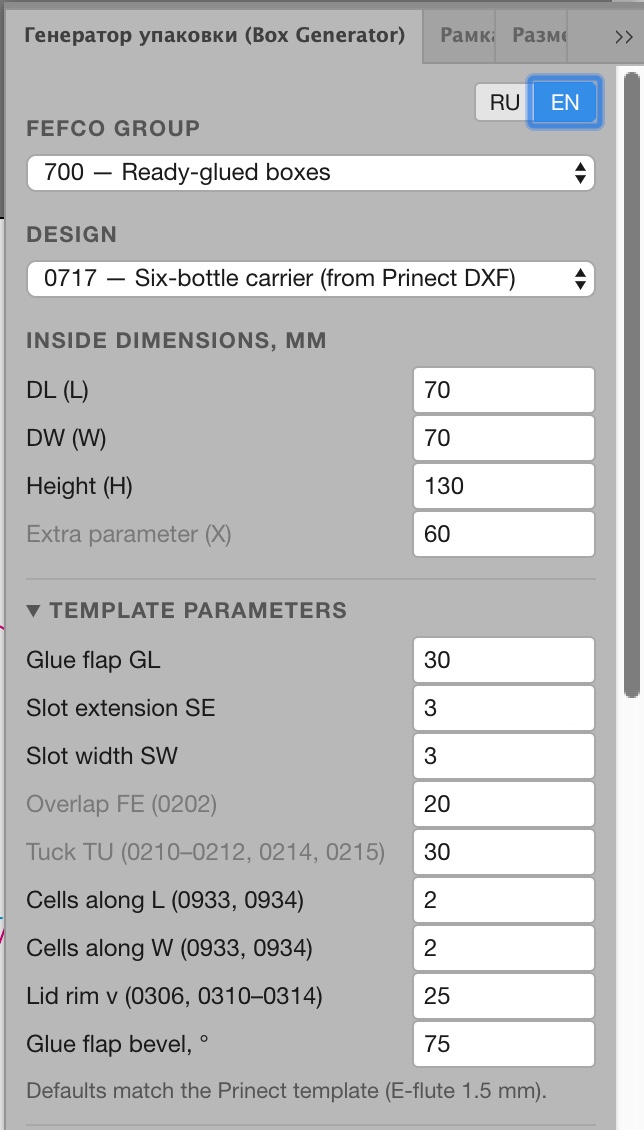
Step 2. Inside dimensions and template parameters.
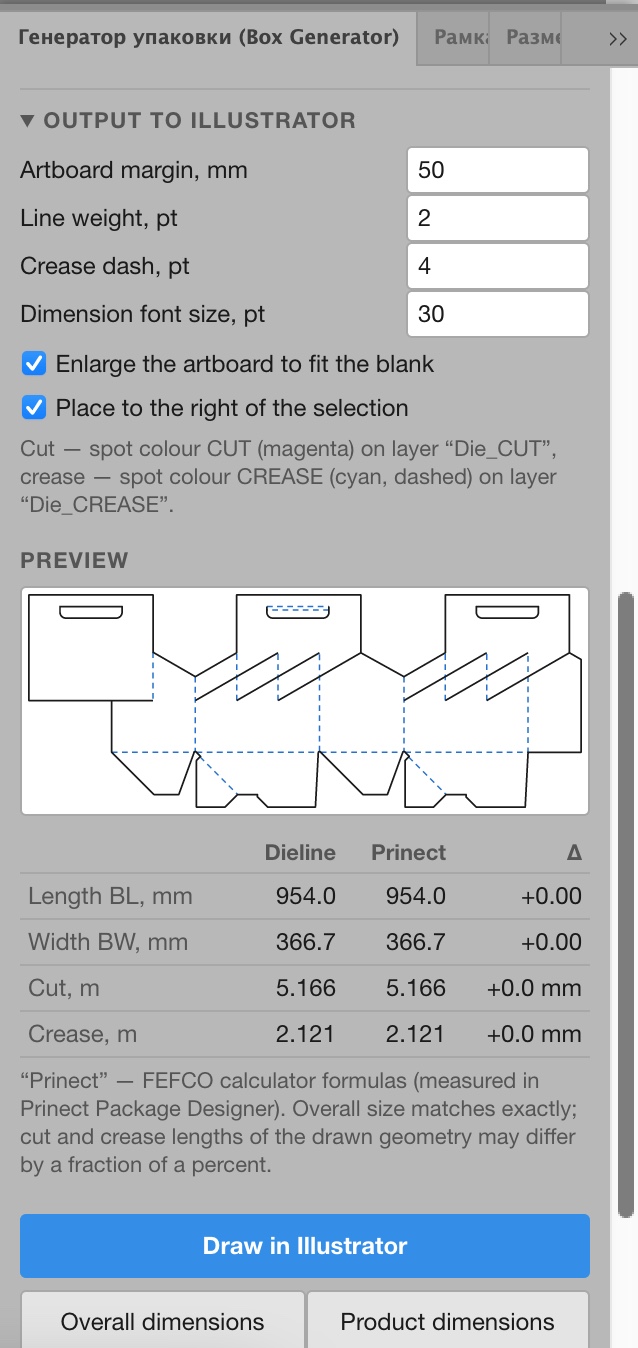
Step 3. Output settings, preview, the "dieline vs Prinect" table and the build buttons.
Features
- Over 130 FEFCO designs grouped by series, with quick selection from a list.
- A "dieline vs Prinect" table: blank size BL × BW and cut and crease lengths are visible before you build.
- Multi-part sets: dimensions are calculated for each part separately, not as one figure for the whole sheet.
- Product dimensions, both inside and overall, are added to the drawing in one click.
- Template parameters and artboard settings.
- Interface in Russian and English.
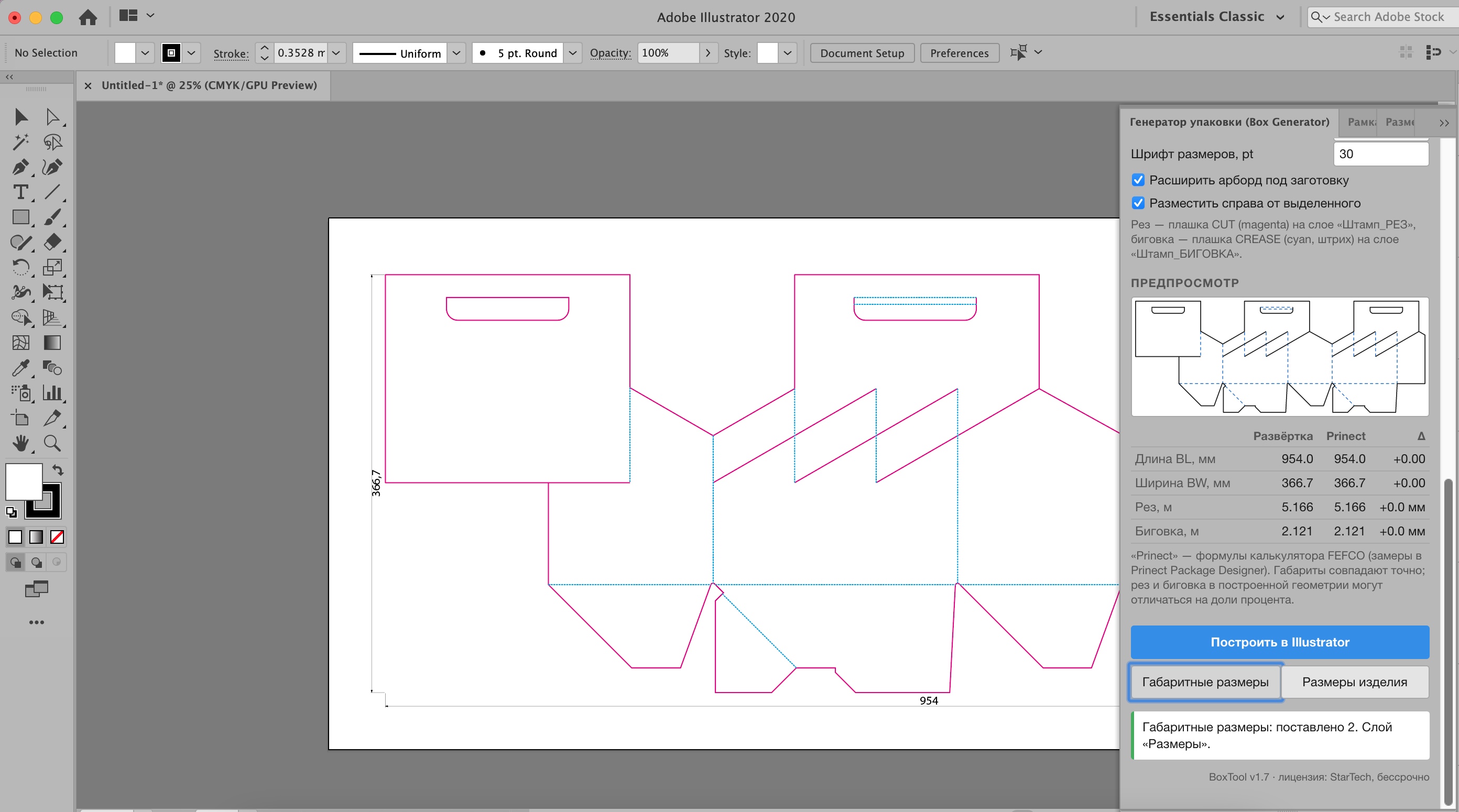
Overall dimensions of the dieline.
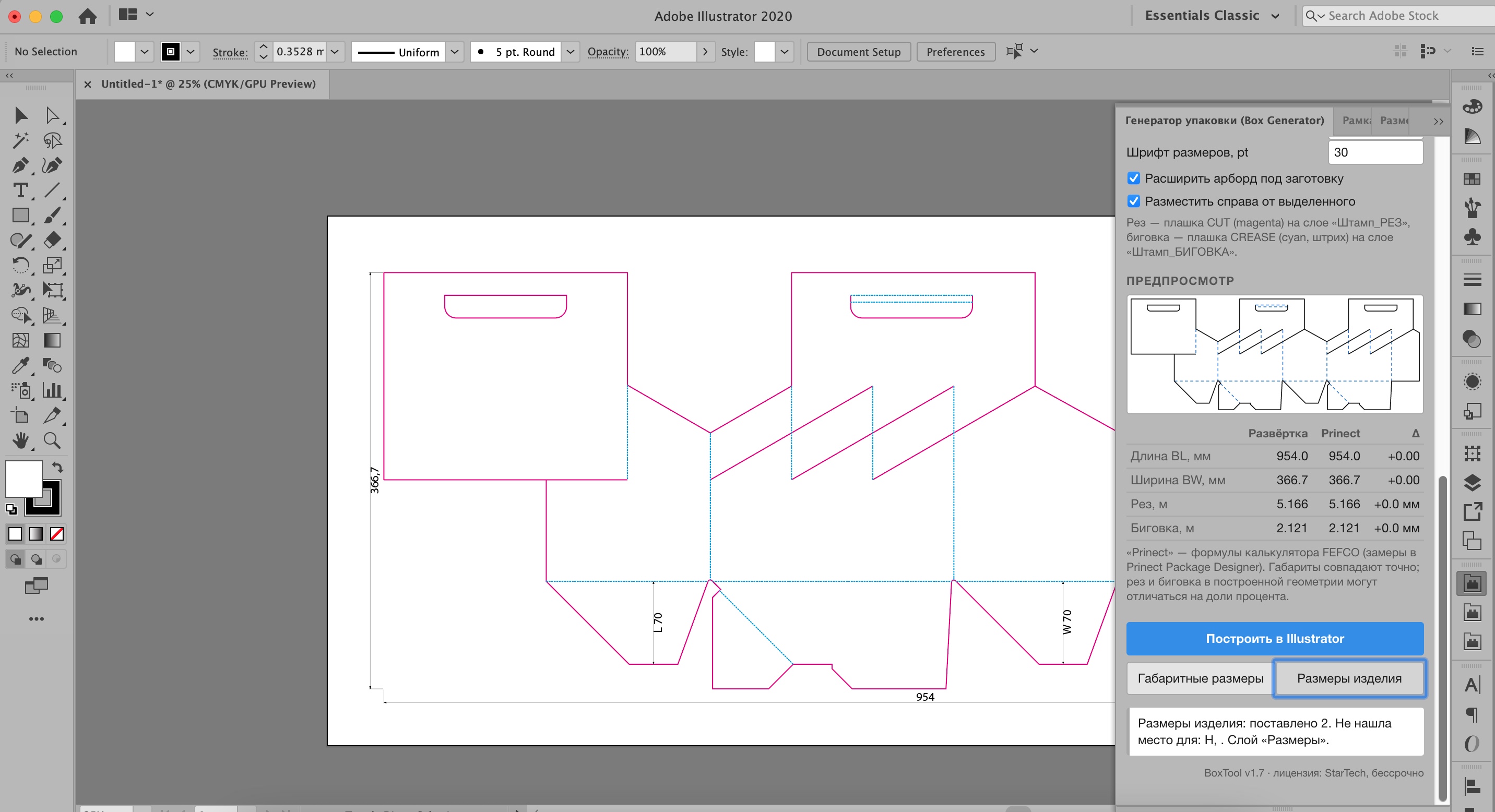
Product dimensions: length and width.
Accuracy without surprises
The geometry of every design is fitted to Prinect DXF files exported at different sizes. The coordinates of each vertex are calculated as a linear formula of L, W and H. An automatic test checks 84 codes at 742 points with no discrepancy at all.
If a design has been confirmed only within a limited range of sizes, the plugin does not stay silent: it shows a warning and an estimate of the possible deviation. That is more honest than drawing a confident dieline with a hidden error.
Does the plugin have drawbacks?
Of course it does. The main one is that the plugin does not account for material thickness. The geometry is taken for a single thickness (E-flute microflute, 1.5 mm) and cannot be recalculated for another board.
For ordinary cardboard this is barely noticeable. For corrugated board 3 to 6 mm thick, the thickness allowance has to be taken into account: it affects panel sizes and the position of the creases.
But the plugin is made for the designer, not for the die maker. Die makers review the artwork anyway and rework it for the real material where necessary. So this limitation is easy to live with: the dieline gives correct proportions and dimensions for layout, and the exact adjustment for thickness is done in production.
Installation and licence
The plugin installs on macOS from a .pkg package (delivered in a .dmg) and has been tested in Adobe Illustrator 2020. After installation the panel appears under Window → Extensions.
- The licence is an offline key tied to your Mac; no internet connection is needed to work.
- A 10-day trial, a one-year licence and a perpetual licence are available.
- The key is issued on request.
Who it is for
- Packaging designers on Mac who need an accurate dieline for artwork rather than a full CAD system.
- Technologists and prepress operators who quickly need a dieline by FEFCO code for costing and approval.
- Print shops that want to check client drawings against reference dimensions.
Download the plugin and get a trial on the product page.