FEFCO Calculator for Your Website: Installation and Usage
Installation in 2 Steps
1. Upload the `fefcocalc/` folder to your hosting, for example, to `https://your-site/fefcocalc/`.
2. Insert two elements into the page:
```html
<div id="fefcocalc-widget" data-lang="ru"></div>
<script src="https://your-site/fefcocalc/embed.js"></script>
```
Test without a website: double-click the included index.html file.
Where to insert
- WordPress: "Custom HTML" block.
- Tilda: "HTML code" T123 block.
- Wix: "Embed Code" → "Embed HTML" (paid plans). Give the block sufficient height, especially for a phone.
- Bitrix and regular pages: insert both elements before `</body>`.
Settings
Set by the container attributes `<div id="fefcocalc-widget">`.
| Attribute | Value | Default |
|---|---|---|
| `data-lang` | `ru` or `en` | according to `<html lang>`, otherwise `ru` |
| `data-theme` | `light`, `dark`, `auto` | `light` |
| `data-rolls` | roll widths, mm, comma-separated | `630,700,750,850,890,1050` |
| `data-glue-flap` | GL gluing flap, mm | `30` |
| `data-se` | SE slot cutting gap, mm | `2` |
| `data-groups` | only specified groups, for example `0200,0300` | all |
| `data-fonts` | `google` — fonts from Google Fonts | system |
| `data-hide-title` | hide title | shown |
| `data-catalog` | your JSON catalog address (http/https) | Built-in |
Example: only boxes 0200 and 0300, dark theme, custom rolls.
```html
<div id="fefcocalc-widget" data-groups="0200,0300" data-theme="dark" data-rolls="700,850,1050"></div>
```
Colors are changed using CSS variables:
```css
#fefcocalc-widget .fefcocalc-app { --fc-blue: #c0392b; --fc-bg: #fff; }
```
How to use
1. Design: Select the FEFCO group and code, and if necessary, a part (e.g. lid or bottom).
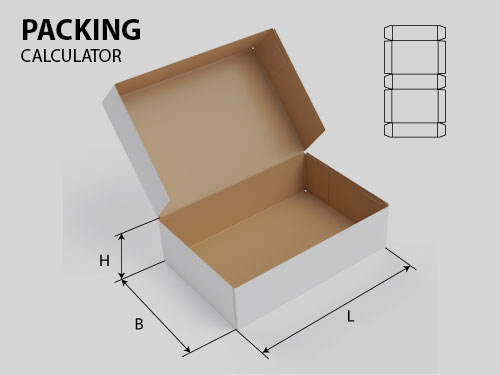
2. Dimensions: Enter L, W, H and specify the measurement type: internal, score-to-score or external.
3. Material: Select the corrugation profile (E, B, C, BC) or enter the thickness; check GL and SE.
4. Circulation: Specify the quantity and percentage of waste.
5. Sweep: If necessary, unfold the sheet by 90° (the corrugation wave is across H). Consult a technologist.
6. Result: Workpiece dimensions, area, cutting and creasing length, recommended roll width, and width waste. See the formulas in the "Calculation Formulas and Assumptions" section.
What to Consider
- One widget per page.
- The diagrams are loaded from the same address as `embed.js`. If the hosting service blocks SVG, the diagrams will not display, but the calculation still works.
- There are no cardboard prices in the widget.
- The `fefcocalc:ready` event is triggered when the widget is ready.
- Custom catalog: format is the same as `data.json`; The current Joomla database directory is loaded with `tools/export_data.php`.
- Update when a new version is released: `python3 tools/build_widget.py "/path/to/pkg_fefcocalc_X.Y.Z.zip" "/where/build"`.
License: GPL-2.0-or-later in the `LICENSE.txt` attachment.