Every program you see here was originally built for myself.
I'm tired of choosing between heavyweight Windows and Parallels software, exorbitant license prices, and endlessly migrating projects from one application to the other. So, I've combined the best, most useful, and most convenient features into my own products.
I also write Joomla components from scratch—it's easier for me to create something well myself than to search for bugs in someone else's code. And as a bonus, I've integrated a unique hacker trap: it not only breaks bot logic but also guarantees that the hackers will receive your personalized "good health wishes."
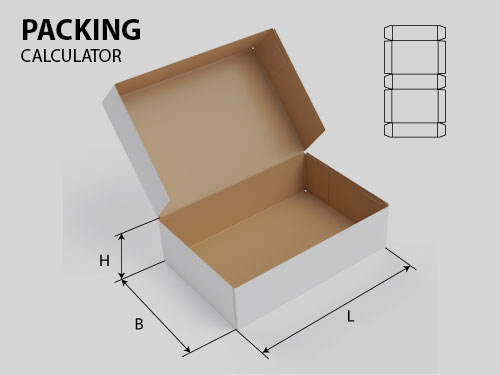
My corrugated cardboard calculators are also a response to a market need. Why overpay for heavyweight software for only 30% of the features you'll use? I've created a lightweight, accessible, and OS-independent solution for precise blank calculations. No overpayments.
If you have any ideas for improvements, I'm open to discussion and will offer a discount for a good idea.
Sincerely, Yaroslav

J-Sort (Product code: )

Manufacturer: StarTech
Price: 20.00 EUR
Available
Quantity:

A small plugin for JoomShopping (Joomla). During the checkout process, it hides unnecessary options: paid payment methods if the order is completely free, and physical delivery options (Standard/Express, etc.) if all items in the cart are downloadable (digital), regardless of their price.

What the plugin does

At the "Payment Method" step, the plugin displays your selected "free" payment method only when the cart total is zero, and hides it for any paid order—the customer doesn't have to see a payment option that doesn't apply to their order.

At the "Shipping Method" step, the plugin always displays the shipping method for digital items when all items in the cart are downloadable (they have a downloadable file attached to them on the product page), regardless of their price. As soon as at least one physical item is added to the cart, the standard shipping methods are shown again, and the method for digital items is hidden.

Both identifiers—payment method and shipping method—are configured in the plugin settings; nothing is hardcoded.

Requirements

Joomla 4, 5, or 6
JoomShopping (tested on version 5.x)

Installation

Extensions → Manage → Install → Download and install the archive below. After installation, open Plugins, find "JoomShopping - Free-order-only checkout options," enable it, and specify the desired payment method ID and shipping method ID in the settings (both IDs can be found in JoomShopping → Options → Payment Method / Shipping Method, in the "ID" column).

Starting with version 1.1.1, the plugin can be updated directly from the Joomla admin panel (System → Update Manager) — no manual reinstallation is required.

Version Changes
1.0.0 Initial release: Payment and shipping method filtering based on "order is completely free."
1.1.0 Shipping method is now determined based on "downloadable product" rather than order amount – also works for paid digital products. Fixed a payment method filtering error (reconciliation was performed on the wrong field).
1.1.1 Added support for auto-updates from the Joomla admin panel.
Copyright MAXXmarketing GmbH
JoomShopping Download & Support

About us

bottom logo en

I'm a designer. Here you can see my work. Yes, I do my job.

The main rule - you will never see the unfinished work. Only thoroughly polished projects can produce in life.

Packing calculator

Select your language

Select your language

Cookies user preferences
We use cookies to ensure you to get the best experience on our website. If you decline the use of cookies, this website may not function as expected.
Accept all
Decline all
Read more
Analytics
Tools used to analyze the data to measure the effectiveness of a website and to understand how it works.
Google Analytics
Accept
Decline
Advertisement
If you accept, the ads on the page will be adapted to your preferences.
Google Ad
Accept
Decline
Save